How to book parking with payment upfront
Booking parking ahead at Viracopos locks the amount and the period at the online rate, which is lower than the counter one. Here is the step by step, and what it saves.
Diego Guedes · August 30, 2023 · 4 min read · Como reservar
Preços conferidos no motor de reservas em · ver a tabela de hoje

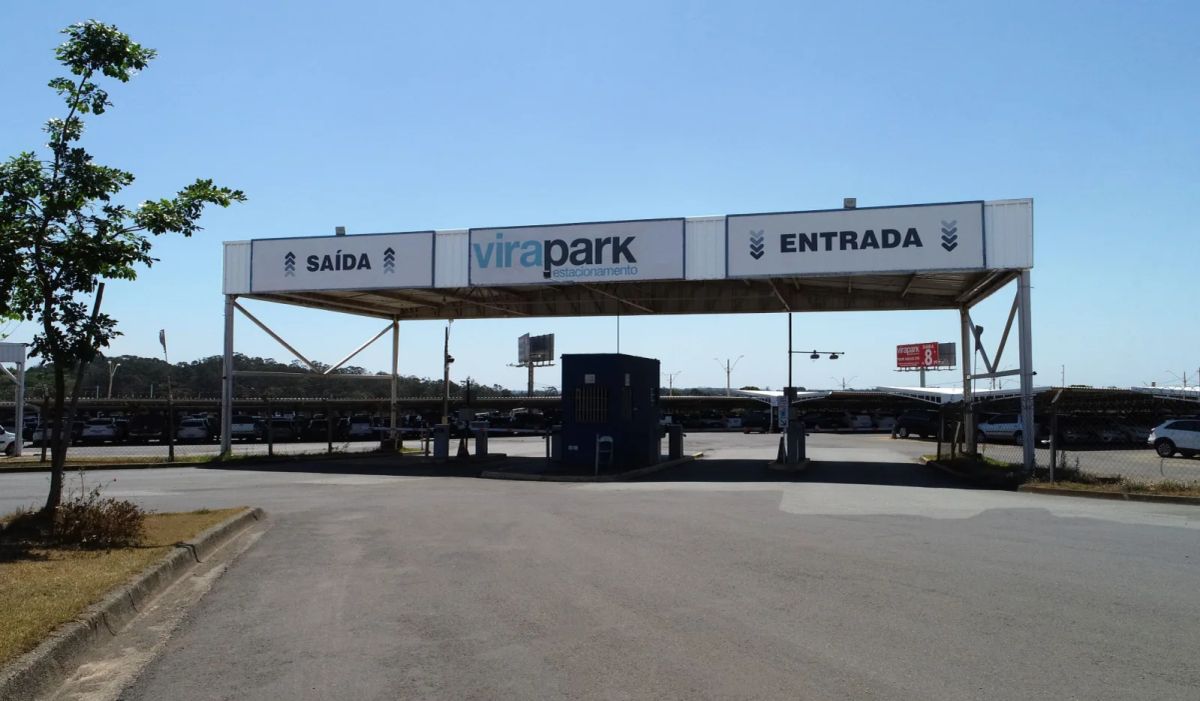
Travelling can be exciting, but the logistics of getting to the airport and finding parking can be stressful. For a calm departure, booking parking with payment upfront is a smart move, especially at the busy Viracopos Airport. In this article you will learn the step by step to book easily and travel without the worry.
Why book ahead at Viracopos Airport?
Viracopos Airport is one of the busiest in Brazil, and the starting point for many travellers. With demand growing, finding an available space can get complicated, especially at peak times. Here are some convincing reasons to book your parking at Viracopos Airport in advance:
- Price and period locked: booking ahead locks the total for your length of stay at the online rate, which is lower than the walk-up one.
- Financial planning: paying upfront tells you the exact cost of parking, so you can put that expense into your trip budget.
- Skip the stress: nothing is more frustrating than driving in circles looking for a space. Booking ahead saves you that, and lets you focus on the rest of the trip.
Step by step to book your parking at Viracopos Airport
Booking parking with payment upfront at Viracopos Airport is simple and takes only a few steps:
Step 1: Open the airport page. The Viracopos Airport page lists the partner lots, with the live price and the distance of each one.
Step 2: Choose your dates and times. Select the arrival and departure dates and times. That is what works out the total cost of the booking.
Step 3: Choose the lot. Pick the type of parking that best suits you. Options such as covered parking, open-air parking and long-stay parking may be available.
Step 4: Enter your details. Fill in your personal details, including name, licence plate and contact information. Make sure the information is accurate to avoid problems on the day.
Step 5: Pay. Choose your payment option and follow the instructions to complete the transaction. Paying upfront locks the amount and the period booked.
Step 6: Get the confirmation. After payment you receive a booking receipt by email. Make sure you have it printed or on your phone on the day of the trip.
Conclusion
Booking parking with payment upfront at Viracopos Airport is a smart way to start a trip on the right foot. Avoid last-minute worries, lock the amount at the online rate and travel calmly. Follow this step-by-step guide and enjoy a smoother, better organised trip.
Remember that when you travel every detail counts, and booking parking ahead is one of those details that can make all the difference. Prepare in advance and get the most out of your journey from Viracopos Airport.
Frequently asked questions
What does paying upfront lock in the booking?
It locks the amount and the period booked. What you pay at booking is the total for that length of stay, and later changes follow the lot's own rules. The walk-up price, charged on arrival, is usually higher.
What details do I need to hand to book at Viracopos?
The licence plate, the entry and exit dates, and the spot type you want. The plate is what the gate checks on arrival, and typing it wrong is the most common reason for a manual check at the barrier.
How much does paying upfront save at Viracopos?
In August 2026, seven days at Virapark cost R$ 280.00 at the counter and R$ 174.30 at the online price, or R$ 24.90 a day. At Garageinn the same seven days went from R$ 419.93 to R$ 321.30, a fall of R$ 98.63.
Do I have to pay it all at once to book?
The accepted methods appear on the checkout screen and vary by partner unit. What sets the amount charged is the length of stay booked, not the method chosen to settle it, so the payment choice does not change the total.
What happens if I do not use the booking I paid for?
The cancellation and no-show policy belongs to the lot and appears on its page before checkout. It is worth reading that point when you book, especially on a trip whose date may still change.